
Support center
Provide you with comprehensive product operation guidelines
Installer
To ensure that your heat pump can be smoothly integrated into the HEMS system, it is recommended to follow the steps below:
Step 1 – Confirm the connection method and interface parameters of the heat pump to the HEMS system
- Modbus-RTU communication has been established between the HEMS Controller and most models of GEP Heat Pump. You can use RS485 wiring to connect the two devices.
- Refer to the GEP Heat Pump User Manual to confirm the exact location of the RS485 interface, as well as the factory default parameters and the method for modifying them.
Step 2 – Establish the correct connection between the heat pump and the HEMS Controller
- Based on the RS485 interface parameters of the GEP Heat Pump, connect the RS485 cable to the corresponding RS485 interface of the HEMS Controller.
(The interface parameters and configuration method for the HEMS Controller can be found in the detailed examples below or in the User Manual and other materials.)
Step 3 – Enter interface parameters in the enjoyelec app
- After completing the wiring, power on the devices. Open the enjoyelec app to bind the device and enter the interface parameters that match the actual setup.
(For detailed instructions on configuring the app, please refer to the User Manual.) - Once the configuration is complete, the GEP Heat Pump will be integrated into the HEMS system, allowing you to perform functions such as querying and controlling the device via the app.
Example
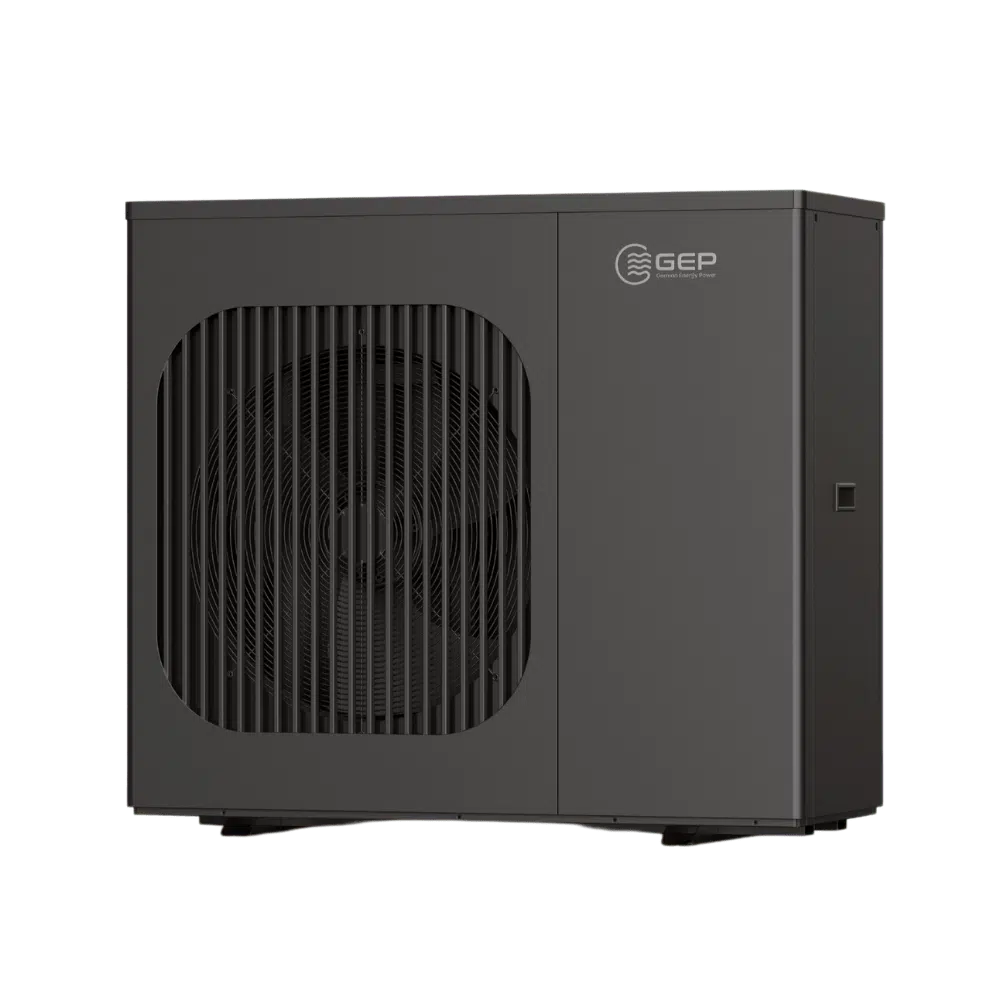
The following provides a detailed explanation of the process for integrating the heat pump into the HEMS system, using the GEP Heat Pump model GEP40-CRL-DC-E/S as an example:
Step 1 – Confirm the connection method and interface parameters of the heap pump to the HEMS system
GEP40-CRL-DC-E/S:
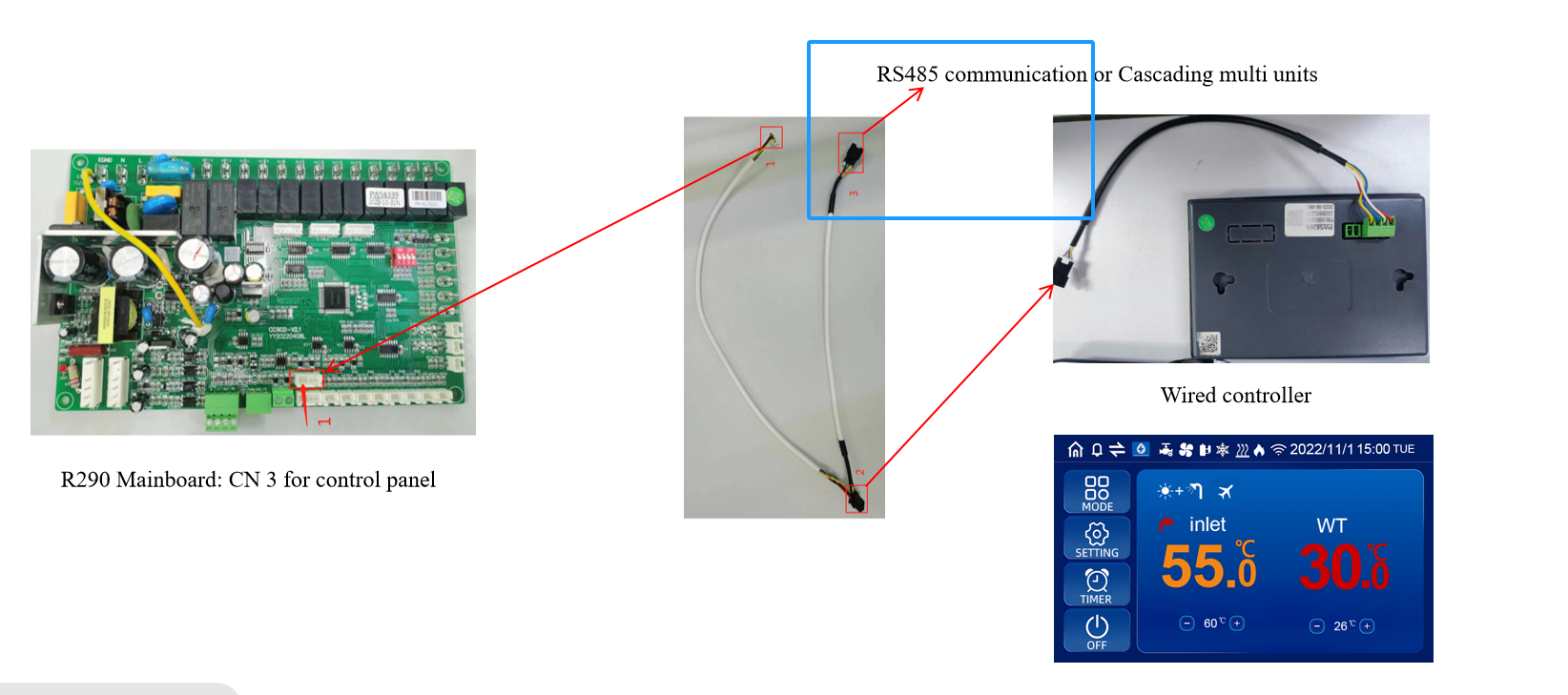
- The communication interface of the GEP heat pump is located at the mainboard of the device. By consulting the heat pump’s User Manual, you can find that the Communication interface “CN3 for control panel” (12V GND A B) is located as follows:
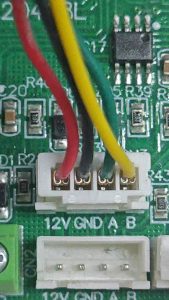
- According to the user manual, the COM port marked as “CN3” 4-Pin Terminal is used for RS485 communication. The pinout of the PIN A(Green) is RS485A and PIN B(White) is RS485B connector is shown in the diagram below:
- The baud rate of the RS485 port on the GEP heat pump is typically set to 9600 by default, and the Modbus address is typically set to 1.
Step 2 – Establish the correct connection between the heat pump and the HEMS Controller
When connecting the heat pump to the HEMS Controller via RS485, it is essential to ensure that the port parameters of both devices match. The port location for the controller with a baud rate of 9600 is shown in the diagram:
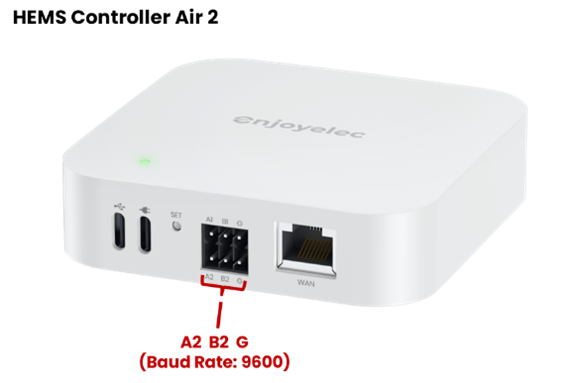
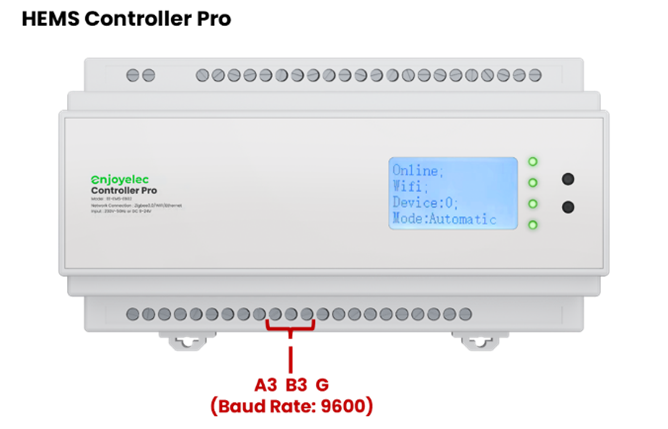
(For selecting a different baud rate, please refer to the user manual for verification.)
- When wiring, please pay attention to the color differentiation of the A and B cables to ensure that the port wiring sequence on the Controller side correctly matches the port sequence on the heat pump side.
- If a different baud rate port is required, you can refer to the User Manual to locate the corresponding port, or use the enjoyelec app to set the port parameters on the Controller.
Step 3 – Enter interface parameters in the enjoyelec app
After completing the physical connection between the heat pump and the Controller, the relevant parameters need to be configured in the enjoyelec app:
- In the app, select the device type, brand, and model of the device connected to the Controller.
- Configure the communication method between the Controller and the heat pump in the app, including the communication protocol, physical port number, port parameters, etc.
- Once the parameter configuration is complete, send the configuration information to the Controller. The Controller and the sub-device will begin pairing and establishing a connection, enabling data collection and control of the sub-device.
