How to choose?
Both the HEMS Controller Air 2 and Controller Lite can meet the needs of the vast majority of household users. So, how should you make your selection?
| Controller Air 2 |
Controller Lite |
 |
 |
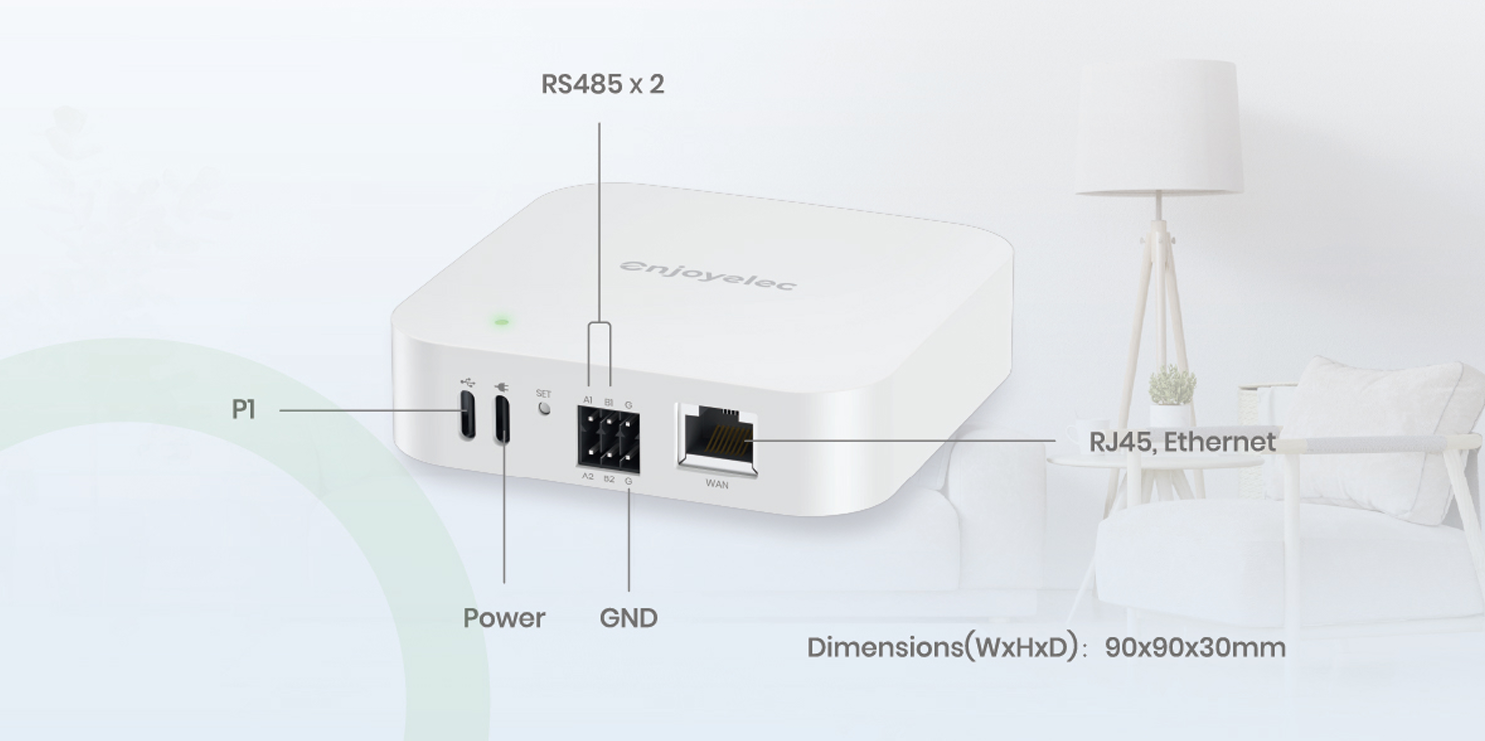
- Ideal for placement on flat surfaces such as desks.
- With a relatively limited number of ports, it is best suited for scenarios where the types of interfaces for connected devices are uniform.
|
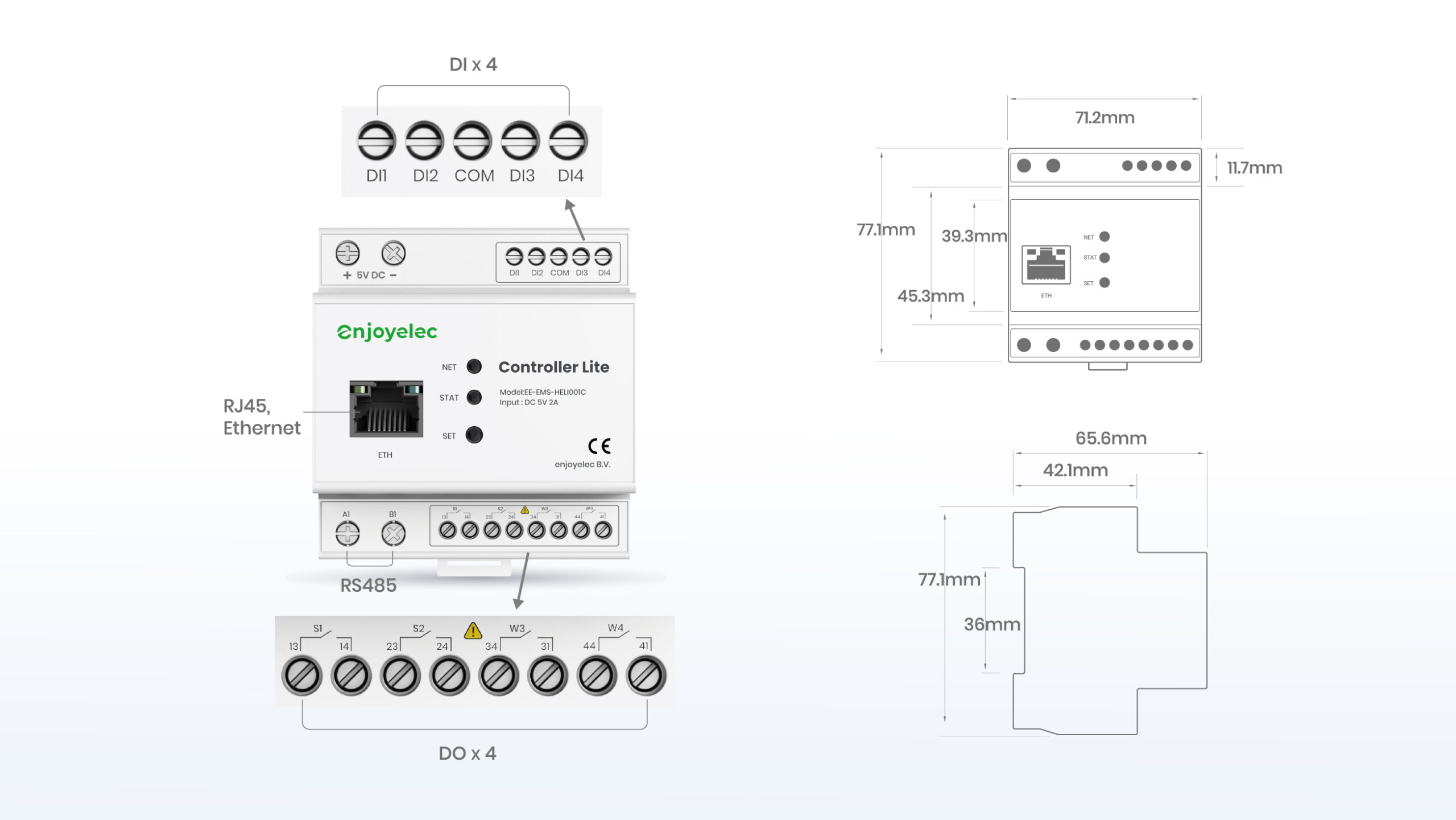
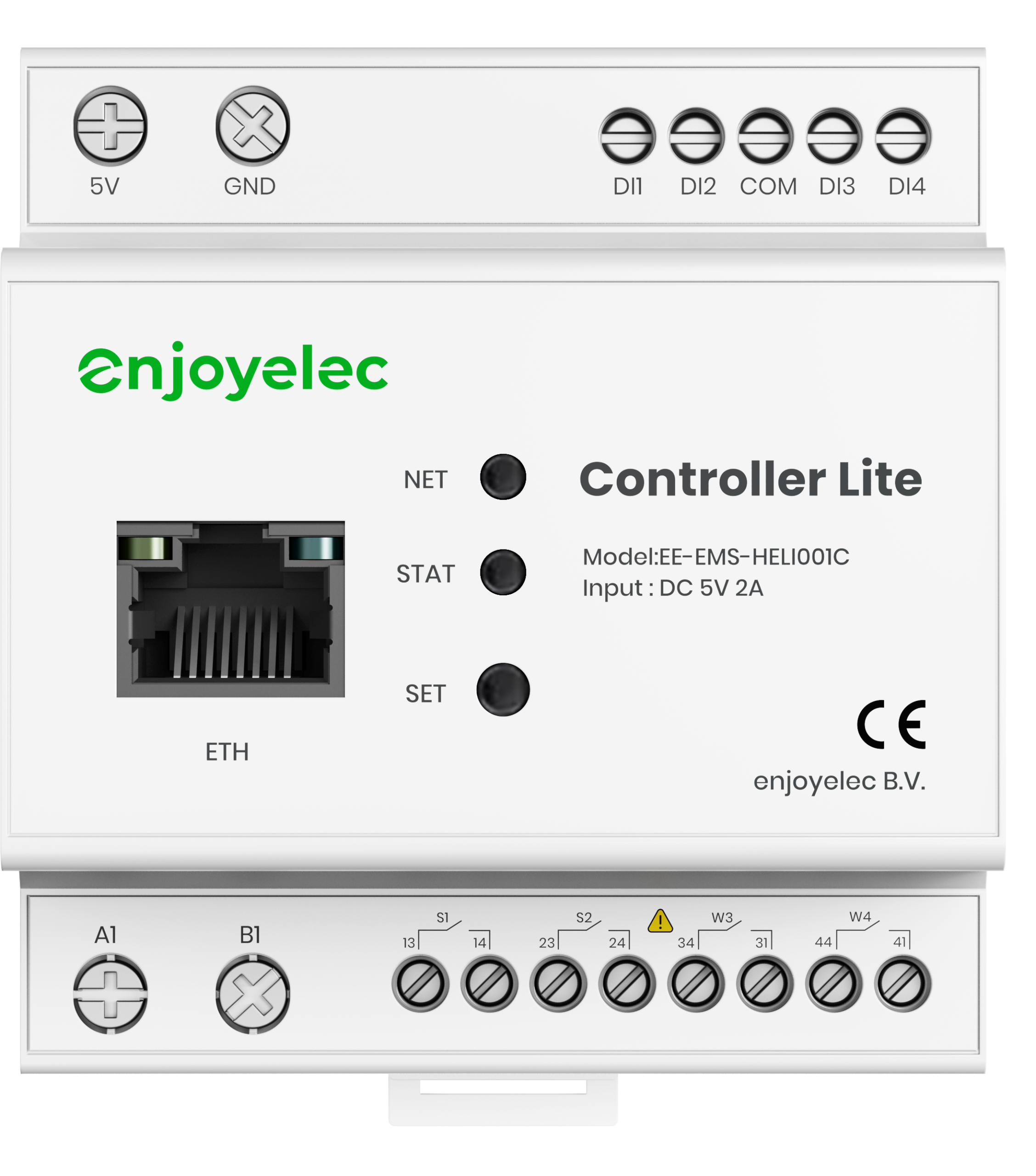
- Suitable for installation in meter boxes or other locations with a PIN 35 rail.
- Equipped with multiple interfaces, allowing connection of a larger number of subdevices or devices with varying interface types.
|
Types of Sub-devices
As the focal point of household energy systems, the HEMS Controller can manage various types of sub-devices, including:
| No. |
Tybe |
No. |
Tybe |
| 1 |
Smart meter |
4 |
Heat pump |
| 2 |
Solar inverter & Battery |
5 |
Other high-power appliances |
| 3 |
EV Charger |
6 |
Relay* |
*In households where older devices may lack communication interfaces for smart control, a Relay or smart socket (which controls the power supply to the device) can be used to manage the device’s on/off functionality.
Protocols
The HEMS Controller supports a variety of protocols, enabling communication with different types of devices:
| Communication protocol |
Effect |
| OpenADR |
- Communication between the Controller and the cloud platform
|
| Modbus-TCP |
- Communication with devices such as inverters, heat pumps, and charging stations
- Access to local area networks via WiFi or RJ45 Ethernet cable
|
| Modbus-RTU |
- Communication with inverters, heat pumps, charging stations, and meters
- Connection to devices via RS485 cables
|
| Zigbee |
- Communication with smart switches, temperature and humidity sensors, or other devices equipped with Zigbee modules
|
| OCPP |
- Communication with charging stations that support OCPP
- Network access through WiFi or RJ45 Ethernet cable
|
| EEBus |
- Communication with devices supporting EEBus, such as meters, heat pumps, charging stations, and inverters
- Connection to IP networks via WiFi or RJ45 Ethernet cable
|
| eMUCs-P1 |
- Communication with PI meters
- Connection to meters via RJ12 cables
|
| Linky |
- Communication with Linky meters
- Connection to meters via Zigbee modules or wired cables
|
Ports
The HEMS Controller must be connected to sub-devices using the appropriate ports.
- For details on sub-device interfaces, reference the respective device manuals to understand their purposes and default parameters.
- Below is an illustrative diagram of the HEMS Controller’s ports:
Air 2
Pro
The factory default parameters for each interface of the HEMS Controller can be found in the user manual. Once the Controller is properly connected to the sub-devices, any changes to the Controller’s interface parameters can be made through the app configuration.