
Support center
Provide you with comprehensive product operation guidelines
Installer
To ensure that your Heat Pump can be smoothly integrated into the HEMS system, it is recommended to follow the steps below:
Step 1 – Confirm the connection method and interface parameters of the Heat Pump to the HEMS system
- Modbus-TCP communication has been established between the HEMS Controller and most models of NIBE Heat Pump. After being connected to the same local area network and having their parameters configured, the two devices can establish communication.
- Refer to the NIBE Heat Pump User Manual to confirm the exact location of the network interface, as well as the factory default parameters and the method for modifying them.
Step 2 – Establish the correct connection between the Heat Pump and the HEMS Controller
- According to the Modbus-TCP interface parameters of NIBE Heat Pump, configure the IP, port and other parameters of the Heat Pump into the sub-device information of the enjoyelec app.
(Interface parameters and configuration methods of HEMS Controller can be found in the detailed examples below, or referred to User Manual and other materials.)
Step 3 – Enter interface parameters in the enjoyelec app
- Once the configuration is complete, the NIBE Heat Pump will be integrated into the HEMS system, allowing you to perform functions such as querying and controlling the device via the app.
Example
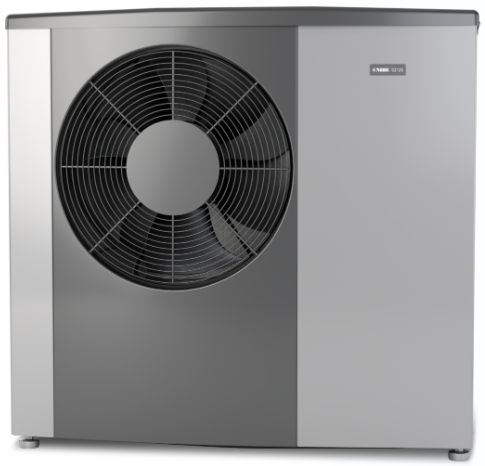
The following provides a detailed explanation of the process for integrating the Heat Pump into the HEMS system, using the NIBE Heat Pump model S1255-16 as an example:
Step 1 – Confirm the connection method and interface parameters of the Heat Pump to the HEMS system
S1255-16:
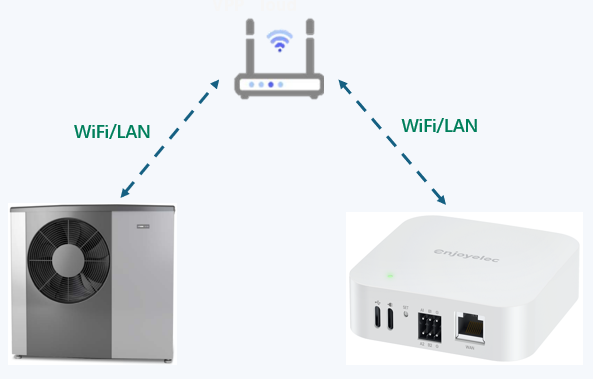
- The NIBE heat pump and HEMS Controller should be connected to the same network, which can be connected via WiFi or LAN. The connection diagram is shown below.
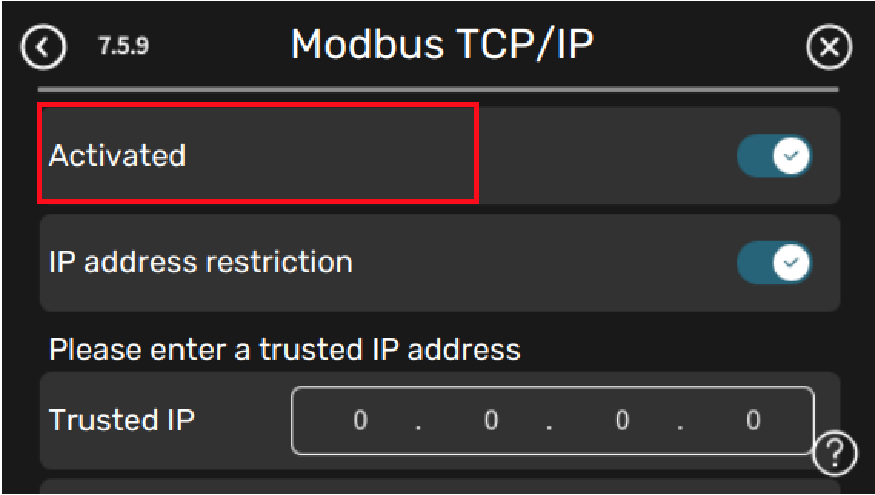
- Activate Modbus TCP/IP
NIBE S-series has built-in support for Modbus TCP/IP that can be activated in menu 7.5.9 – “Modbus TCP/IP”.
MENU 7.5.9 – MODBUS TCP/IP
Setting range: on/off
Here, you activate Modbus TCP/IP.
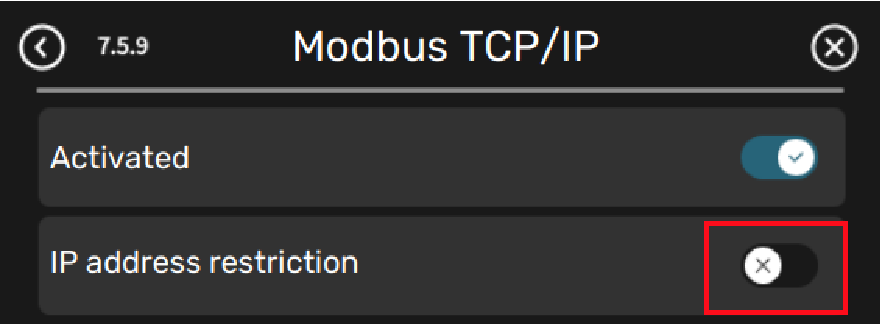
Caution: IP address restriction needs to be turned off, otherwise HEMS Controller connection to NIBE heat pump will be restricted
- TCP/IP settings are set in menu 5.2 – “Network settings”. Only connections from IP addresses within the local address space as specified below: 10.0.0.0 – 10.255.255.25 (10/8 prefix) 176.16.0.0 – 172.31.255.255 (172.16/12 prefix) 192.168.0.0 – 192.168.255.255 (192.168/16 prefix) Software version 2.2.1 or later required. Modbus protocol uses port 502 for communication. There are two methods to configure network information through the NIBE Heat Pump button:
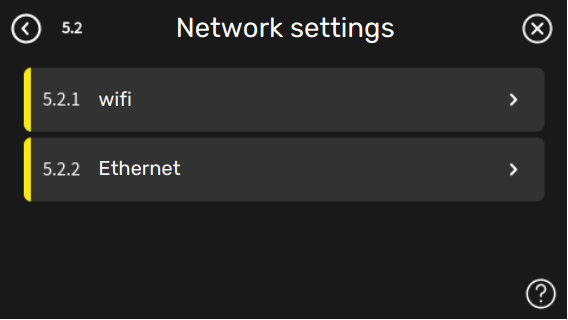
Choose wifi or ethernet.
*Tips:
- It is recommended to set a fixed IP for the communication module of NIBE Heat Pump but be cautious not to have IP conflicts with other devices within the local area network.
- Record the fixed IP of NIBE Heat Pump and fill it in the enjoyelec app later.
Step 2 – Establish the correct connection between the Heat Pump and the HEMS Controller
Establish a connection through Modbus TCP, and it is required that the Heat Pump and HEMS Controller be in the same local area network.
- Using the enjoyelec app, after binding the HEMS Controller, proceed to the sub-device configuration and fill in the parameters of the Heat Pump:
- Add device,Select type:Heat & Cool.
- Select brand:
- Select model:S1255-16.
- Select protocol:Modbus TCP.
- Enter the IP address. The IP address is based on the actual IP address of the device) and port: 502, Address: 1. Click the connect.
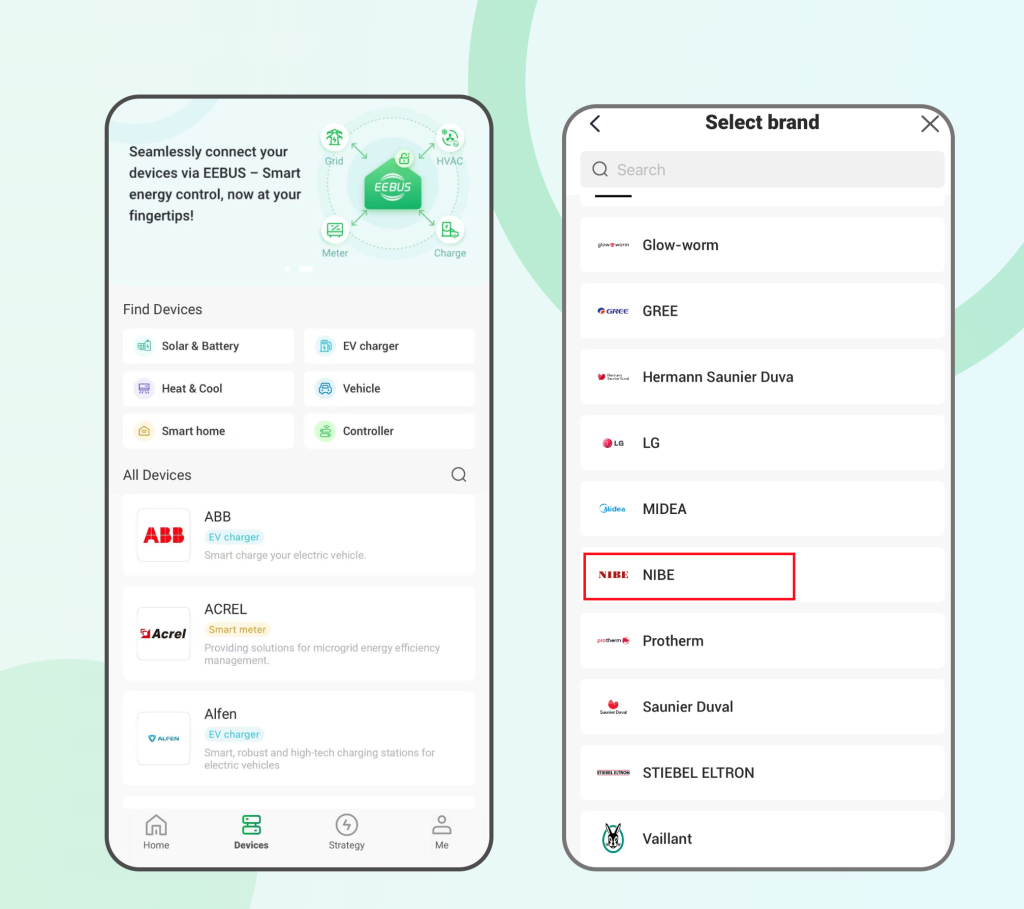
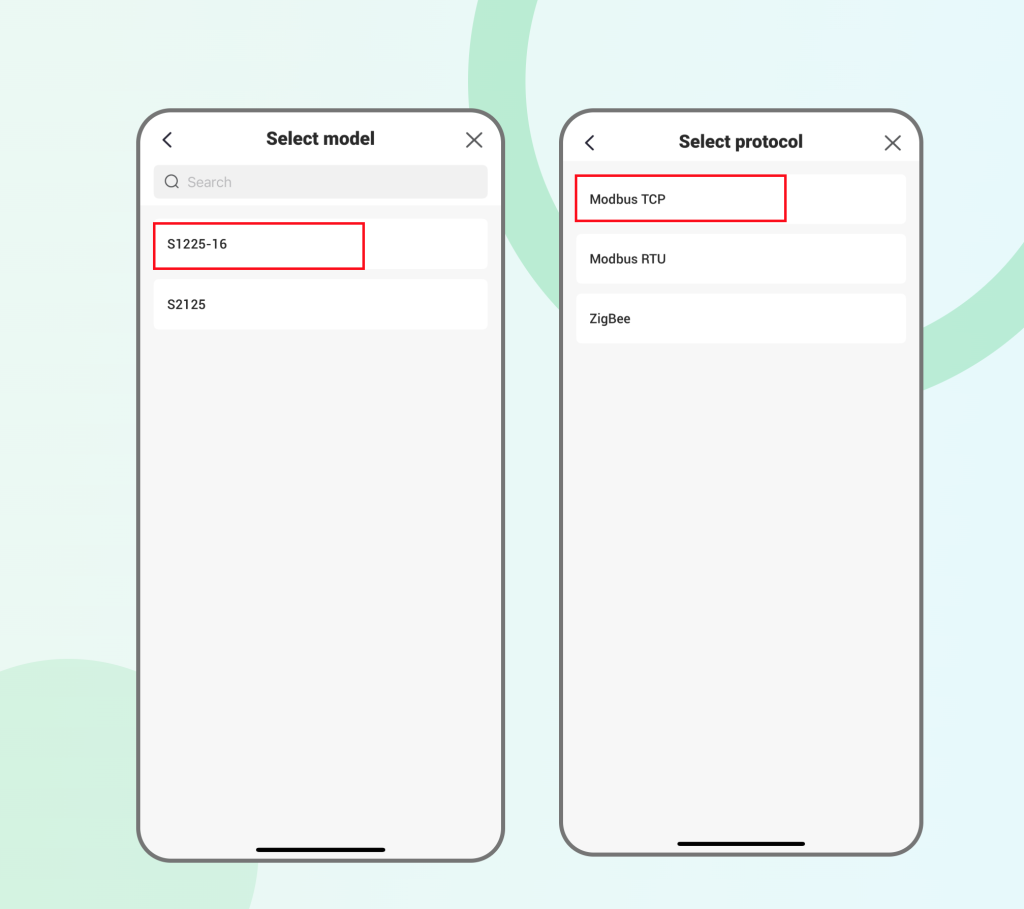
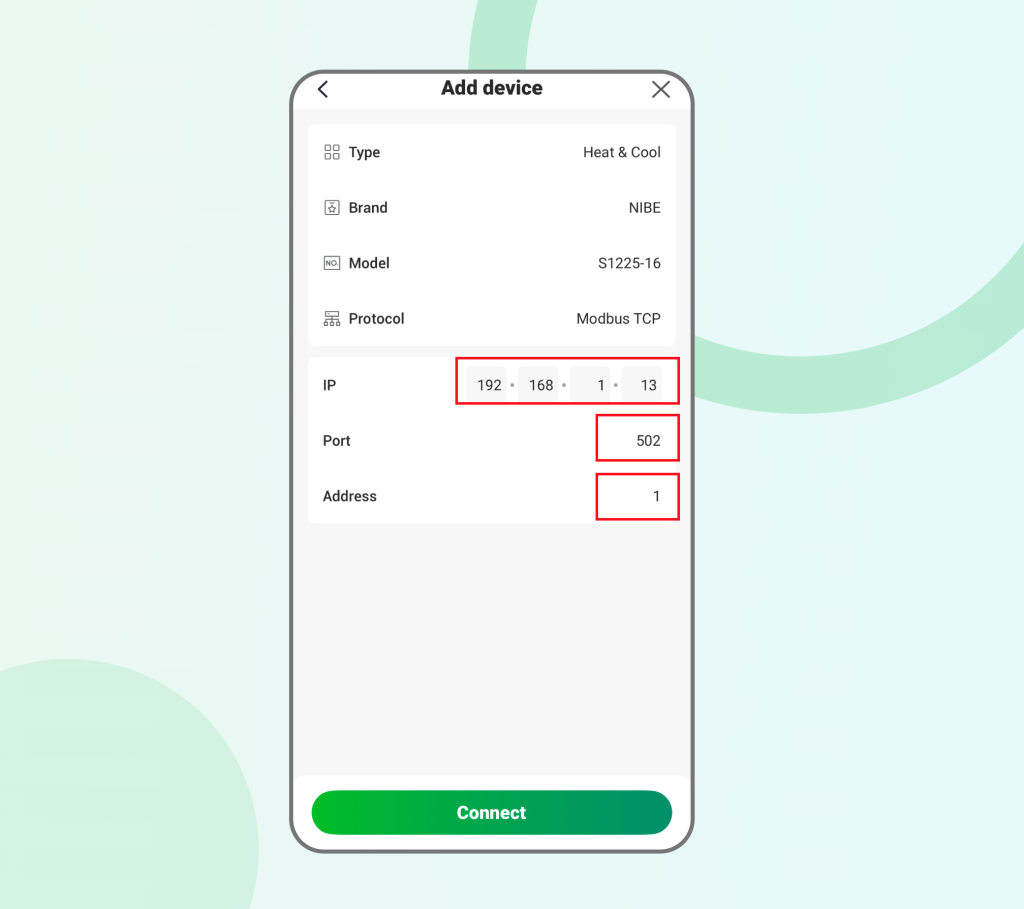
- After the HEMS Controller connects to the heat pump, you can view the heat pump information in the app.
